Social Digital Marketer brings content creation, scheduling, approvals and performance into one workspace for creators, small businesses and agencies. AI tools help turn your ideas, source material and product website into editable posts, images and videos where enabled. You approve every post before it publishes. Built and operated by Phronesis AI Lab Private Limited, and offered as a subscription.
Scheduling
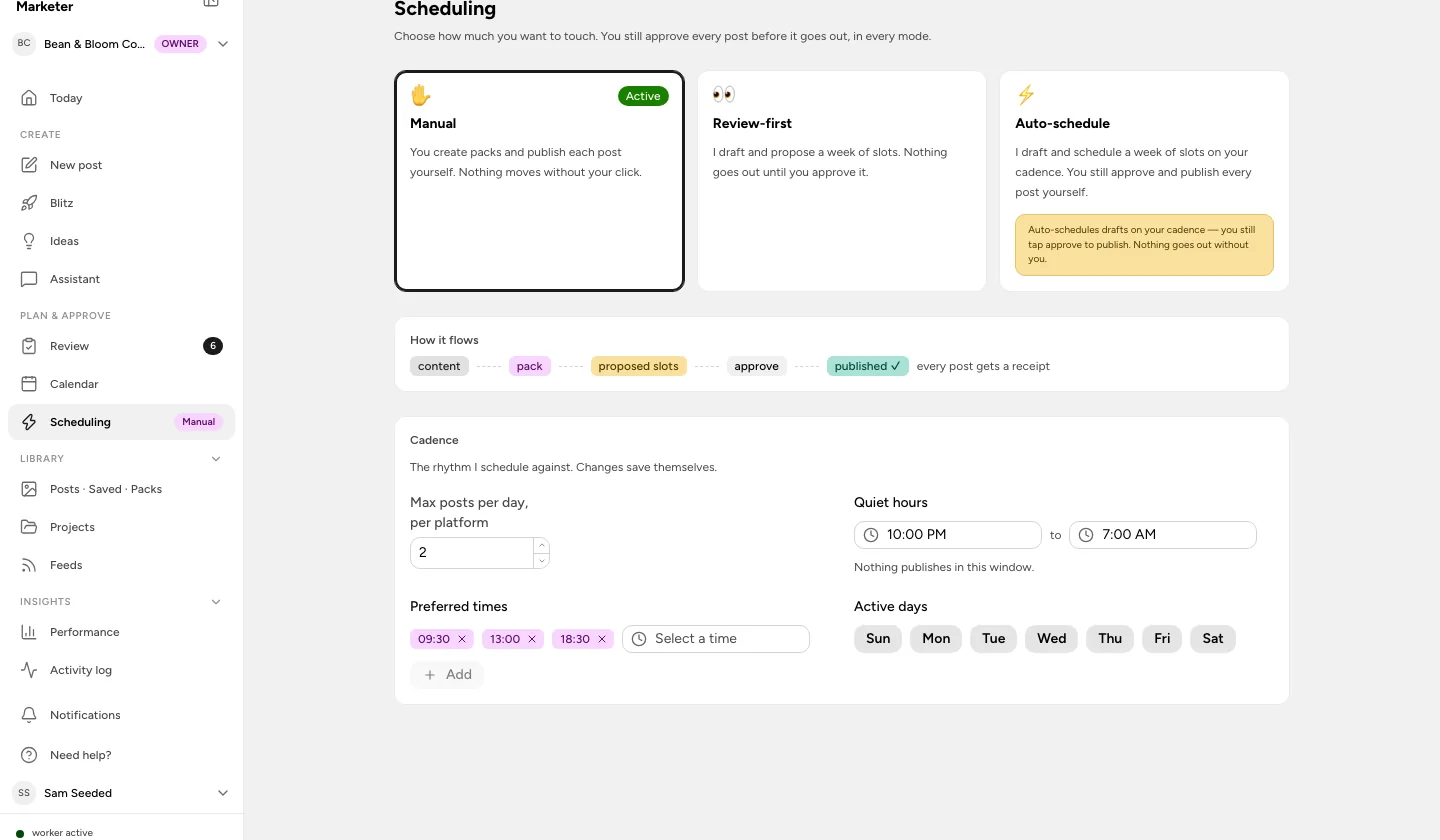
Available A weekly calendar and a queue you approve. Choose manual, review-first or auto-schedule, then set preferred times, quiet hours, active days and a daily cap per platform. In every mode, nothing goes out until you approve it.
Weekly calendar and list view Preferred times, quiet hours, active days Manual, review-first or auto-schedule Per-network versions of a post Evergreen reposting CSV export
Publishing
Available Reliable publishing after approval. A connection health check before each post, retries with backoff that respect each platform’s rate limits, a receipt for every published post, and a clear reason when a platform says no.
Health check before publishing Retries with backoff Publish receipts Failure reasons and an activity log Fair use: 25 posts per account per day
Approvals and team workflow
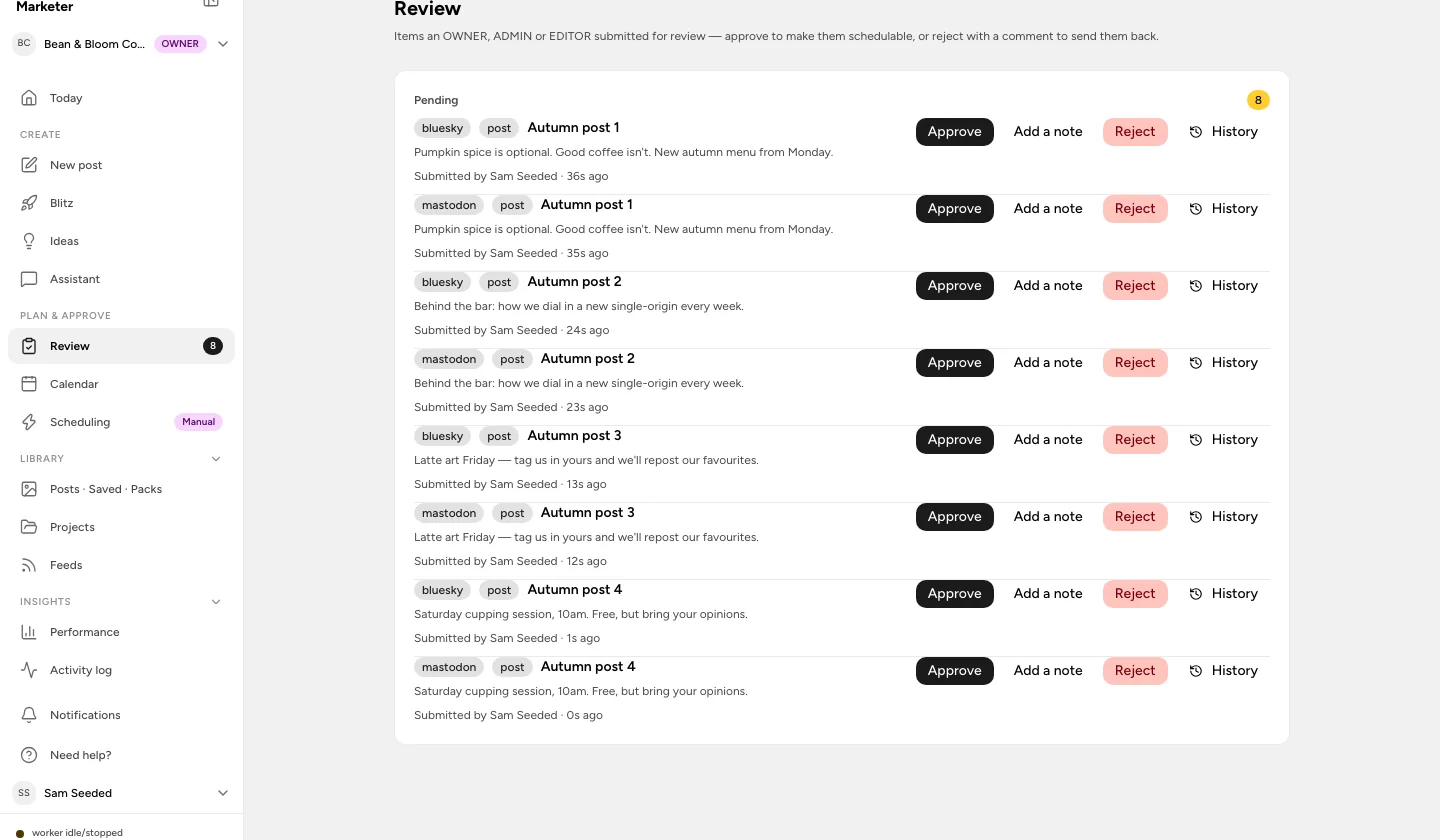
Available Every post is published only after a person approves it, whether it was written in the app, queued over the API or drafted by an assistant. Approval is tied to the content you reviewed: edits require another review. Team invitations and review roles are included on Studio and Agency.
Submit, approve, reject with a comment Optional separate approver Roles: Owner, Admin, Editor, Viewer Approval history Edits invalidate approval
Performance and activity
Available Review reach, engagement and clicks where the network provides them, compare your top posts and find useful times to publish. The activity log records what happened to each post so a failure is something you can investigate.
Per-post and per-account metrics Top posts Best hours to post Activity log
API, MCP server and CLI
Available On the Studio and Agency plans, what the app can do is also available over a REST API (in beta), an MCP server for Claude and ChatGPT, and a CLI. Drafts created this way still wait for a human yes.
REST API (beta) Webhooks MCP server for Claude and ChatGPT CLI
Brand workspaces and media
Available Keep each client or brand in its own workspace, with its own channels, brand kit and voice settings. Store reusable media and organise assets as logos, products, people or screenshots. Uploads never use credits.
3, 10 or 25 brand workspaces Workspace brand kit and voice Media library Asset roles Packs and feeds
AI drafting and brand voice
Limited availability Where AI generation is enabled, turn text, articles, feeds, videos or podcasts into drafts for each channel. Learn a voice from your own posts, score drafts against your quality criteria, and work with an assistant. Video transcription detects the source language so the drafts can follow it.
Source-to-post packs Voice learning and refinement Multilingual transcription Quality scoring Assistant
AI Studio campaigns
Limited availability Start with a brief, a product or your website. Review the extracted product facts and choose real screenshots before the studio prepares copy and creative. Campaigns move through research, review, creative checks and your approval; real-incident stories use sources you select.
Website-based campaigns Editable product brief Website screenshots Shopify product facts Source-backed story research
AI agents and creative editing
Limited availability Choose an available agent, review its brief and credit estimate, and follow the run through its review steps. Edit image layouts and video timelines, preview changes, and adjust captions, framing, themes and watermarks before approving the result.
AI agents gallery Review steps Image editor Timeline editor and preview Credit estimate before a run
Model Studio and voiceovers
Limited availability Work directly with available image, video, voice, avatar and music models. Use reference assets, choose a voice and preview language, gender and tone options. Finished media requires an available generation provider; tools without one show a labelled preview or placeholder.
Image and video generation Reference assets Regional voice options Voice samples Model selection
Public beta. Create an account in the app when registration is open. AI tools are available only in enabled workspaces; available features and trial eligibility are shown in the app.